Robot car with a camera
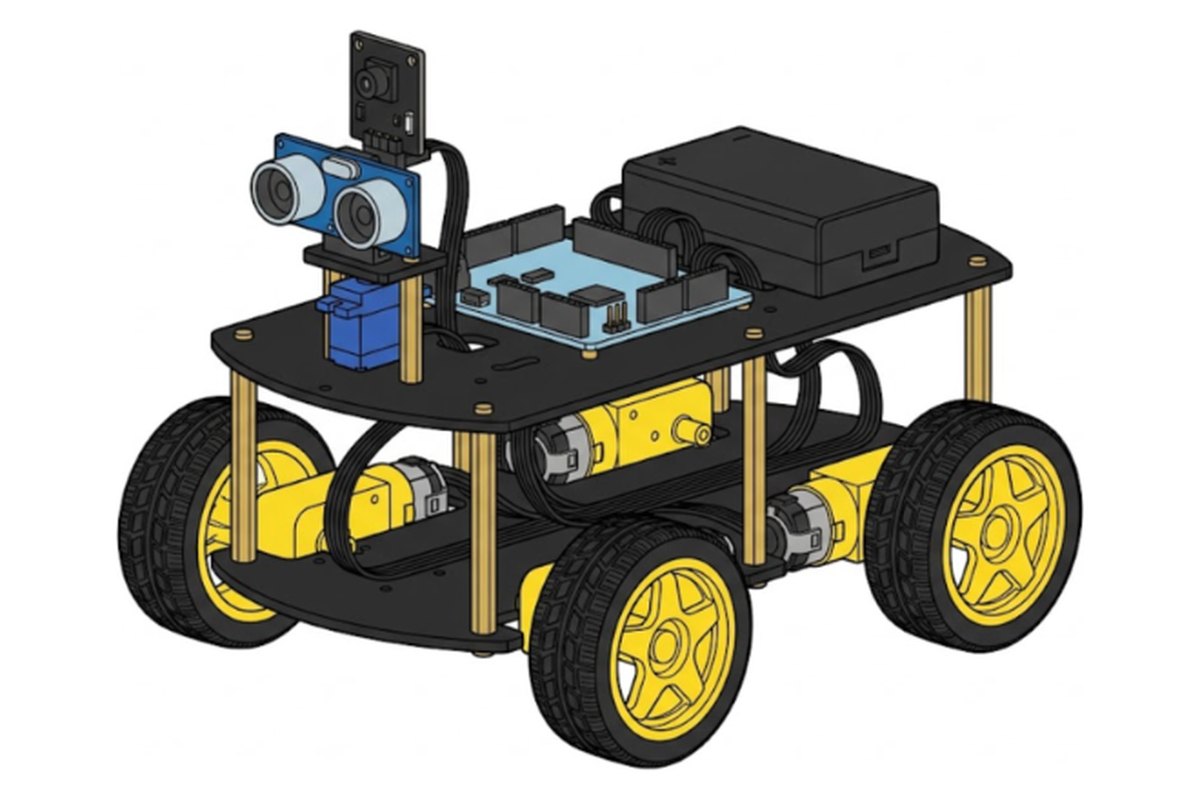
A four wheel robot car with a live camera, eyes that spot walls and a sensor that follows lines. Drive it from your phone or let it drive itself.
Maker says 12+. Younger kids build it great with a parent.
What it does
See what the car sees on your phone.
Avoids walls, follows you or follows a line.
Drive with the IR remote or a joystick in the app.
What's in the box
One box with every part, a screwdriver, a rechargeable battery and the program already loaded. No soldering.
Runs the car. Its program comes already loaded.
Streams video to your phone and spots walls.
Four wheel drive on a two deck frame.
Follows a black line and knows when it tilts.
Charges by USB. No AA batteries.
For the EleRobot app. The remote works without it.
All 29 steps
One small action per screen. Progress saves on your device.
1Get ready2 steps · 10 min
- Sort the parts by bag
- Peel the film off both plates
2Motors2 steps · 20 min
- Fix a block to each motor
- Screw the motors onto the bottom plate
3Line sensor1 steps · 10 min
- Mount the line sensor under the front
4Brain and battery4 steps · 20 min
- Add the motion sensor to the board
- Fix the UNO board to the top plate
- Press the expansion board on top
- Fix the battery box
5Camera and eyes5 steps · 35 min
- Fix the camera to its bracket
- Fix the servo to the small plate
- Fix the ultrasonic eyes
- Add the camera behind the eyes
- Mount the sensor tower at the front
6Wiring and frame6 steps · 35 min
- Plug in the servo
- Plug in the eyes and the camera
- Add the six tall posts
- Plug in the four motors
- Plug in the line sensor
- Close the car
7Wheels1 steps · 10 min
- Put on the four wheels
8Drive it8 steps · 20 min
- Check every plug
- Switch it on
- Drive with the remote
- Get the app
- Switch to camera mode
- Join the car's Wi-Fi
- Drive from your phone
- Let it drive itself
Prefer one long page? Read all 29 steps or fix a problem.
When it moves, try these
Make a loop with black tape on a light floor and time one lap in line tracking mode.
Drive into another room using only the camera view.
Press 3 and walk slowly. The car follows your hand.
3 more things to build with the same box.
- Line race track Build a tape track on the floor and race the clock in line tracking mode. 30 min.
- Wall dodger maze Build a maze from books and see if the car finds its way out. 30 min.
- Room explorer Drive to another room using only the camera. 20 min.
We are making our own kit with this guide, photo help and monthly projects built in. Join the list for first dibs.
Where this guide comes from
Kit made by ELEGOO. Our steps follow ELEGOO's own V4.0 assembly tutorial and app guide, checked Oct 19, 2026. Every step has its own drawing.