Mars rover you drive from your phone
A six wheeled rover with a camera eye, built like NASA's. Drive it around your house from your phone and see what it sees.
Maker says 15+. Younger kids build it great with a parent.
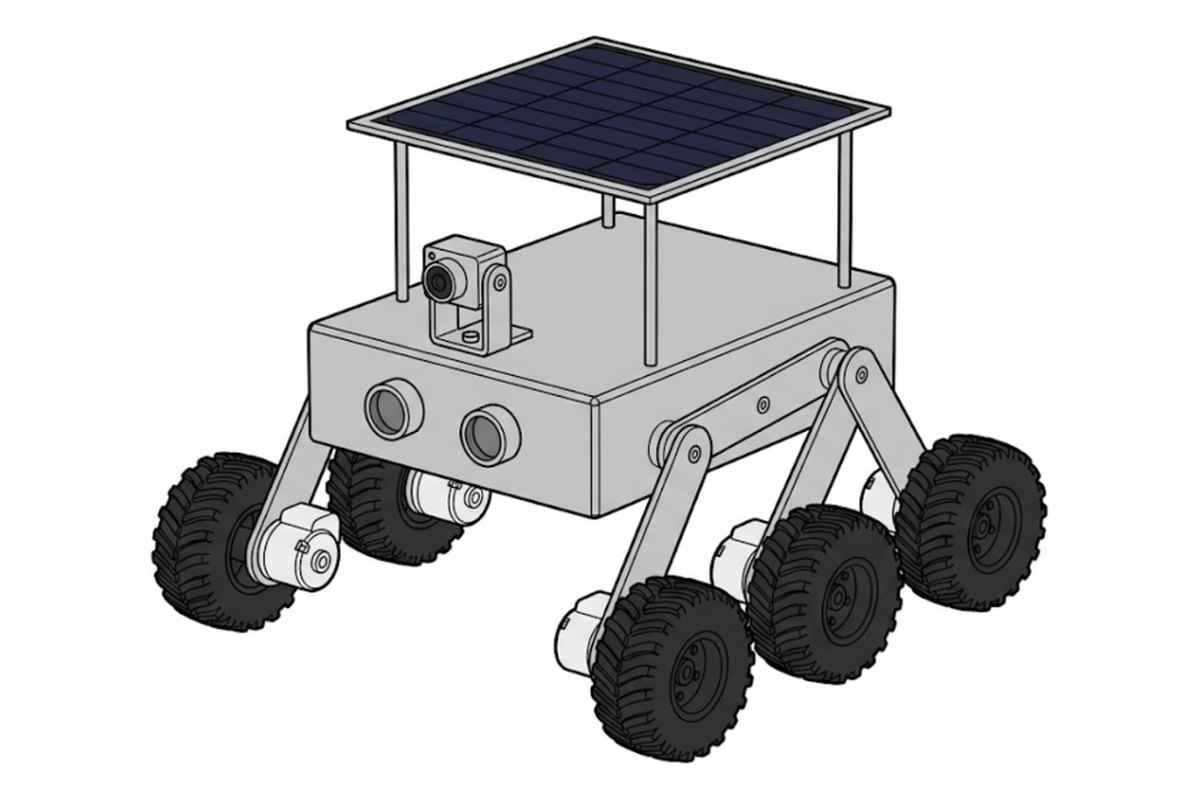
What it does
See its world on your phone and tilt the camera up and down.
Rolls over cables, rugs and small bumps like a real rover.
Avoid mode steers around walls. Follow mode follows your hand.
What's in the box
One box with every part, tools included, and the rover's software already loaded. No soldering.
Runs the rover. Its program comes already loaded.
Streams live video to your phone.
The same idea NASA uses so rovers climb over bumps.
Let it see walls and steer around them by itself.
About 90 minutes of driving per charge.
Any 5V 2A charger works for charging.
All 49 steps
One small action per screen. Progress saves on your device.
1Get ready2 steps · 15 min
- Clear a table and sort the parts
- Check nothing is missing
2Body and legs9 steps · 45 min
- Join plates A and B
- Build the first leg joint
- Add plate C
- Attach the legs to one side
- Attach the legs to the other side
- Fit plate E
- Link the top bar
- Fit the plate F joints
- Check: the legs swing freely
3Brain and battery5 steps · 20 min
- Add the Velcro stickers
- Mount the battery
- Mount the R3 board
- Press the shield on top
- Plug in the battery
4Motors and wheels6 steps · 40 min
- Fit the six motors
- Plug in the left motors
- Plug in the right motors
- Tie the motor wires
- Put on the wheels
- Fit the front posts
5Sensors and lights7 steps · 30 min
- Mount the two IR sensors
- Wire the IR sensors
- Plug a wire into the ultrasonic sensor
- Mount the ultrasonic sensor
- Peel the light strips
- Stick on the lights
- Fit plate H
6Camera10 steps · 35 min
- Charge and switch on the battery
- Plug the servo into pin 6
- Fit the servo arm, then power off
- Put the servo in plate I
- Mount the camera tilt
- Wire the camera adapter
- Mount the camera adapter
- Connect the camera lens
- Plug in the ESP32 CAM
- Close the bottom
7Solar roof4 steps · 20 min
- Add the roof posts
- Add plates J and K
- Stick the solar panel on plate L
- Mount the roof
8Drive it6 steps · 15 min
- Charge it fully
- Switch it on
- Get the app
- Join the rover's Wi-Fi
- Drive!
- Let it drive itself
Prefer one long page? Read all 49 steps or fix a problem.
When it moves, try these
Drive into another room using only the camera view. No peeking.
Build a track from books and pillows and time your best run.
Park it on a sunny windowsill and let the solar panel top up the battery.
4 more things to build with the same box.
- Night patrol Turn your rover into a slow, quiet security cam that checks every room after dark. 30 min.
- Follow me, tuned Make Follow mode track your hand smoothly instead of jerking around. 30 min.
- Obstacle race Build a course from books and pillows and race Avoid mode against your own driving. 45 min.
- First code with blocks Write your first program by dragging blocks, no typing. 60 min.
We are making our own kit with this guide, photo help and monthly projects built in. Join the list for first dibs.
Where this guide comes from
Kit made and tested by SunFounder. Our steps follow their build guide and online quick start, checked Oct 18, 2026. Every step has its own drawing, so you never need the paper guide.