Step 23 of 29
Switch it on
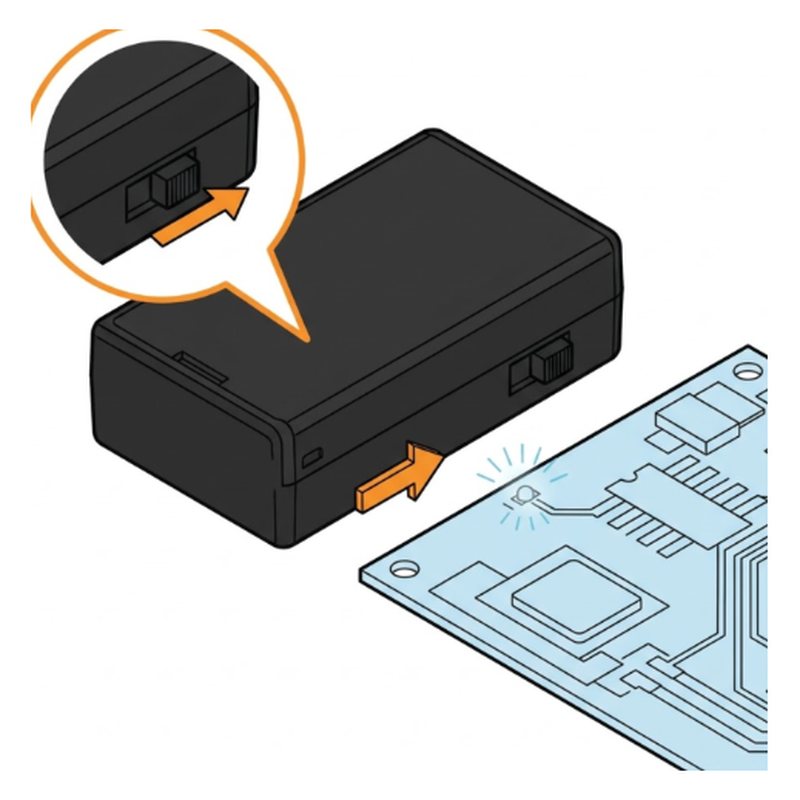
Slide the power switch on the battery box to ON. The status light on the board comes on.
Check: Status light is on.
Common mistake: Battery not charged. A red light means it is low.
Researched by Riley Hart · based on ELEGOO Smart Robot Car V4 build guide and docs · we may earn a commission
The battery is flat or switched off. Start with this: Slide the battery box switch to ON.
The battery is flat or switched off.
Slide the power switch on the battery box to ON. The status light on the board comes on.
Check: Status light is on.
Common mistake: Battery not charged. A red light means it is low.
Open step 23 in the free build tool, tap Stuck and take a photo. The coach checks it against that exact step and tells you what to change. 3 free questions per kit.
Drawings by robotsforthat. ELEGOO Smart Robot Car V4 is a trademark of ELEGOO. We are not affiliated with ELEGOO.