PetKit PuroBot Ultra error codes: screen and app alerts explained
The PETKIT PuroBot Ultra does not use numbered error codes. It shows plain text prompts on its screen, such as a trash bag or trunk warning, and sends the details to the PETKIT app. This page lists each prompt and fault in the PETKIT manual with its fix.
Researched by the robotsforthat team · updated Nov 9, 2026 · How we research
Find your code
Affiliate links. We may earn a commission at no cost to you.
As of November 9, 2026, the PETKIT PuroBot Ultra (model P9903) has no numbered error codes. Its screen shows text prompts. Most are about the trash bag system: a new refill ring is needed, the waste bin is not bagged, or the trunk is not installed. "Device failure" is the general fault alert, and the PETKIT app shows the cause. For most faults the manual's fix is to power off, check the refill ring, its cover and the trunk, clear any blockage, power on and double press the OK button.
| Prompt or fault | What it means | Fix from PETKIT |
|---|---|---|
| The trash bag is running out. Please prepare a new refill ring. | Early warning: the bag roll in the refill ring is nearly used up. Also shown as "Out of trash bag soon" | Get a new refill ring ready and fit it soon |
| The trash bag has run out. Please replace a new refill ring. | No bag left. Also shown as "Out of trash bag, please replace the refill ring now" and as a red trash bag label in the app | Fit a new refill ring |
| Waste bin is not bagged. Please double press OK button to start auto-refilling. | There is no bag in the waste bin. Also shown as "Trash bag not refilled" | Double press OK to start auto refilling |
| The trunk is not installed. Please check. | The trunk is missing or not seated. Also shown as "Trunk not installed" | Press the trunk onto the magnets on both sides |
| Device failure, please check the details in the App. | The box has a fault; the app shows which one. Also shown as "Device failure" | Open the PETKIT app, read the fault and follow the matching fix |
| Cat has approached | A cat came near or went in while the box was working; it has paused | Wait for the cat to leave; double press OK if it does not resume |
| App: N60 has expired | The Pet Odor Eliminator N60 is used up; its label turns red | Fit a new N60 and tap Reset in the app |
| Packing complete icon with a voice prompt | A packed bag is waiting in the bin | Open the lid, take out the bag, close the lid, double press OK |
| Failed to turn on | No power is reaching the box | Reseat the plug and test the socket |
| Cylinder cannot rotate during cleaning or emptying | A cat is inside, or something is stuck in the cylinder gear | Wait for the cat to leave, clear the gear, then double press OK |
| Auto-packing failure | The box could not seal and pack the waste bag | Check the bag, refill ring, cover and trunk; clear the sealed door |
| Auto-refilling failure | The box could not pull a new bag into the waste bin | Check the refill ring, cover and trunk; lower the packing module; double press OK |
From the PETKIT PuroBot Ultra with camera (P9903) user manual, screen prompt and troubleshooting sections, checked November 9, 2026. PETKIT does not publish numbered codes for this model. The app shows the detail behind a Device failure alert.
What to do next
If it keeps coming back, contact PETKIT support first, especially under warranty. Out of warranty, compare the repair quote with a new robot.
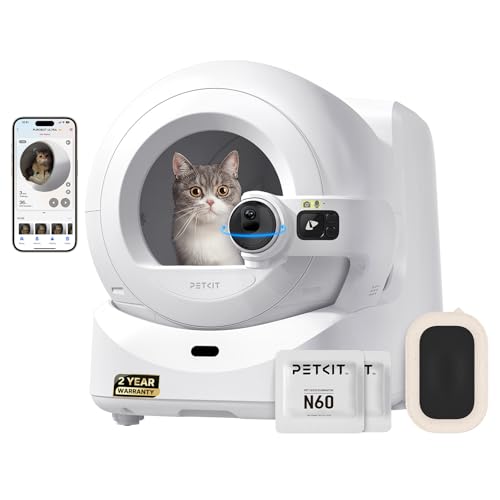 Our top pick from PETKITPetkit PuroBot Ultra$699Compare self cleaning litter boxes →
One email for recalls, bad updates and new fixes for PETKIT. Nothing else.
PETKIT recalls
US Consumer Product Safety Commission database, checked dailyOK
We read every question. When several owners ask the same thing, the answer goes on this page.
How the PuroBot Ultra shows problems
The PuroBot Ultra has a screen on its control panel. It shows short text prompts and status icons. Icons show today's toilet visits, camera on, child lock on, network connected and sealed door open. These are status icons, not faults.
The PETKIT app adds labels for the trash bag and the Pet Odor Eliminator N60. A label turns red when that part needs replacing. When the screen says "Device failure", the app is where you find the cause.
Trash bag, refill ring and trunk prompts
The PuroBot Ultra packs waste into a bag that feeds from a refill ring, and it pulls down a new bag by itself. Most prompts come from this system. The warnings come in order: the bag is running out, the bag will run out soon, then the bag has run out.
To change the refill ring, remove the trunk, take off the refill ring cover, swap the ring, put the cover back and press the trunk onto its magnets. Then double press the OK button to start auto refilling. PETKIT says to stay near the box during packing, and that the sounds it makes are normal.
Fixing a Device failure alert
Open the PETKIT app first to see which fault it is. The manual's troubleshooting table covers three: the cylinder cannot rotate, auto packing failed and auto refilling failed.
- Check that no cat is inside the box.
- Power off before you touch any parts.
- Check the refill ring, the refill ring cover and the trunk are fitted correctly.
- Clear debris near the cylinder gear, the sealed door and the waste bin.
- Lower the auto packing module by hand if it is stuck up.
- Power on and double press the OK button to resume.
When to contact PETKIT
Contact PETKIT if a Device failure alert stays after these checks, if auto packing or auto refilling keeps failing with a new refill ring, or if the box will not turn on with a working socket and the original cable. The manual lists [email protected].
Do not rinse or soak the base, the AI camera or the auto packing module. PETKIT says to wipe them with a soft cloth only.
PetKit litter boxes in our rankings
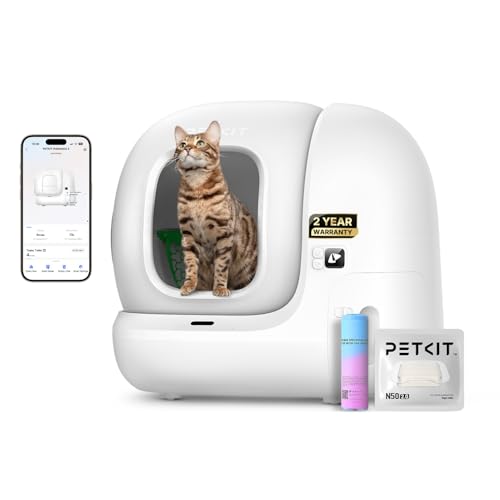

Questions people ask
Does the PETKIT PuroBot Ultra have error codes?
No numbered codes. The screen shows text prompts such as "Device failure" or "The trunk is not installed", and the PETKIT app shows the details.
What does Device failure mean on the PuroBot Ultra?
It is a general fault alert. Open the PETKIT app to see the cause. The usual fixes are to check for a cat inside, clear the cylinder gear, and check the refill ring, its cover and the trunk.
Why does my PuroBot Ultra say the waste bin is not bagged?
There is no bag in the waste bin. Double press the OK button to start auto refilling. If that fails, power off and check the refill ring, its cover and the trunk.
Why did my PuroBot Ultra stop in the middle of cleaning?
If the screen says "Cat has approached", the box paused because a cat came near or went in. It resumes after the cat leaves. If a cat was inside, double press the OK button to resume.
How do I clear the N60 has expired alert?
Open the lid, fit a new Pet Odor Eliminator N60, close the lid and tap Reset in the PETKIT app. The label should then show Normal.