Narwal "Base station not found" (1022, 1023): what it means and the fix
Works for Narwal robot vacuums and base stations (Freo series).
What it means: The robot cannot find its base station.
Quick fix: Check that the base station has power.
Fix it in 4 steps
- Check that the base station has power.Done?
- Check that the roller brush, rear wheels, caster, mop pad and ramp extension are all fitted.Done?
- Wipe the reflector stickers on the base so the robot can see them.Done?
- Remap your home if you moved the base.Did it work?
Fixed when: The robot returns to the base and docks.
Great, it is fixed. Bookmark this page in case it comes back.
Still showing Base station not found?
The code comes back after these steps. Contact Narwal support with the robot serial number, the error time, a screenshot and a short video. Contact Narwal support at 1 (866) 939 2153. Warranty: 1 year for products bought outside the EU and Switzerland. Batteries and consumables are excluded.. Narwal support →
Parts that fix this
Often linked to the main brush. Worn bristles stop grabbing hair, so it wraps around the roller and the motor stalls.
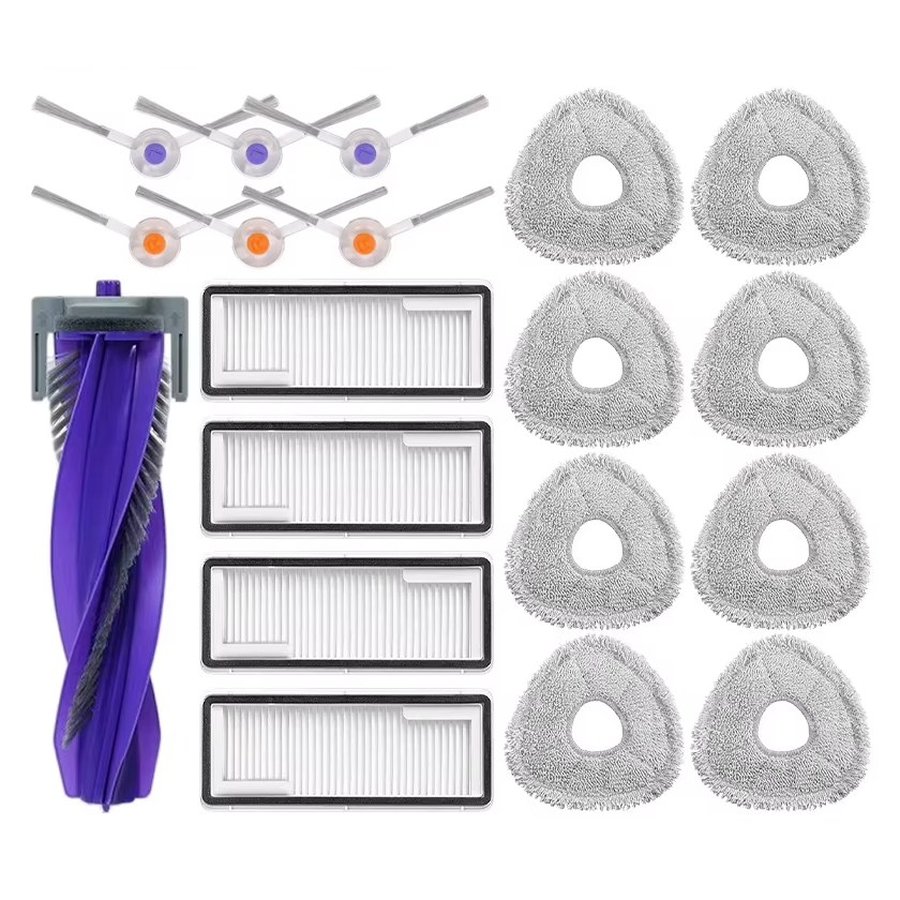 Fixes this · our kit1 year refill kit for Narwal Freo X Ultra1 roller brush, 6 side brushes, 4 filters, 8 mop pads (4 sets). Free US shipping · Fit guarantee$21.99See the kit →
Remind me when parts are due (one free email)
Why it happens
- The base has no power
- A part on the robot is not fitted
- Dirty reflector stickers on the base
- The base was moved
Other Narwal errors
1001, 1003, 1004Battery›1005, 1006Battery too hot or too cold›1007, 1008Zero tangling roller brush›1009, 1010Mop pad or mopping module›1011Localization error›1012, 1123, 1124Robot trapped›1013Entered a no go zone›1014, 1015, 1016Drive wheel malfunction›1017Anti drop (cliff) sensor triggered›1018, 1019, 1060System malfunction›1020, 1021, 1130Base station connection or charging error›1024, 1025, 1127Cannot leave or return to the base›1026Robot and base lost connection›1027, 2000 to 20Base station malfunction›1028, 1029Mopping paused›1030 to 1038, 11Mopping module malfunction›1039, 1040Mop pad drying interrupted›1041, 1042, 1043Side brush malfunction›1044Roller brush tangled›1045Dustbin or dust bag not in place›1046Robot malfunction›1047 to 1054LIDAR malfunction›1065, 1066, 1089Sensor malfunction›1079Relocalization failure›1083, 1084, 1177Perception system or chip temperature›1113Bumper malfunction›1126, 1142 to 11Robot trapped (LIDAR related)›1140Non original battery detected›1150 to 1156Mapping failure›1170 to 1176Binocular (front) sensor blocked or dirty›1200Top cover not seated›2003Base station water overflow›2004Cleaning module not seated›2005Clean water tank not installed›2006, 2017Clean water dispensing error›2007Dirty water tank full or not installed›2008Detergent pump malfunction›2013, 2014, 2015Maintenance agent detection error›2032, 2033, 2034Dust collection malfunction›2035, 2036Dust bag temperature or drying error›2040, 2041, 2042Electrolyzed water module›3000 to 3010Automatic water change module›All 43 Narwal codes →Keeps happening? Compare before you replace
Questions owners ask
Why does my Narwal say base station not found?
Codes 1022 and 1023 mean the robot cannot find the dock. Check the base has power, that all parts on the robot are fitted, wipe the reflector stickers on the base, and remap if you moved it.