Roborock error 10: filter blocked or wet
Roborock Error 10 means the filter is blocked or not fully dry, so air cannot pass through it. The quickest fix is to empty the bin, clean the filter, let it dry for 24 hours and refit it.
Researched by the robotsforthat team · updated Oct 27, 2026 · How we research
Find your code
Affiliate links. We may earn a commission at no cost to you.
Error 10 means the filter is blocked or wet. It often shows right after the filter was washed and refitted damp, or when the filter is packed with fine dust. Roborock's fix is to make sure the filter is dry, at least 24 hours after washing, or to clean it if it is blocked. If a dry, clean filter still triggers it, fit a new filter; Roborock forum staff also suggest restarting, updating the firmware and clearing dust from the fan inlet.
| What you see | Likely cause | Fix |
|---|---|---|
| Error 10 right after washing the filter | Filter refitted before it was fully dry | Let the filter dry for at least 24 hours before refitting |
| Error 10 with a gray, caked filter | Filter blocked with fine dust | Rinse the filter several times and tap out the dirt; do not scrub it with your hands or a brush |
| Error 10 with a full dust bin | Bin too full for air to pass | Empty the dust bin, clean the filter and try again |
| Error 10 after the robot picked up water | Wet filter that clogged as it dried | Replace the filter Filter · Check price → |
| Error 10 on an old filter | Filter worn out | Replace the filter; Xiaomi's Mi Robot page says after about 3 months of use Filter · Check price → |
| Error 10 with a new, dry filter | Dust in the fan intake or a firmware issue | Roborock forum staff suggest restarting, switching to Balanced mode, updating firmware and blowing dust from the fan inlet behind the bin |
| Error 10 still there after all of the above | Owner fix: dust packed in the fan or the mesh behind the bin | Owner fix: owners on Elektroda cleared the fine mesh behind the bin or had the fan cleaned; otherwise contact Roborock support |
Meaning and fixes from the Roborock app error guide, the Q7 Max manual, Roborock's German edition manual and the S8 Pro Ultra manual on Roborock's support site, checked October 27, 2026. Bin and replacement rows also use Xiaomi's Mi Robot Vacuum error 10 page. The staff row is from a Roborock forum thread; the Owner fix row is from an Elektroda owner thread.
What to do next
If it keeps coming back, contact Roborock support first, especially under warranty. Out of warranty, compare the repair quote with a new robot.
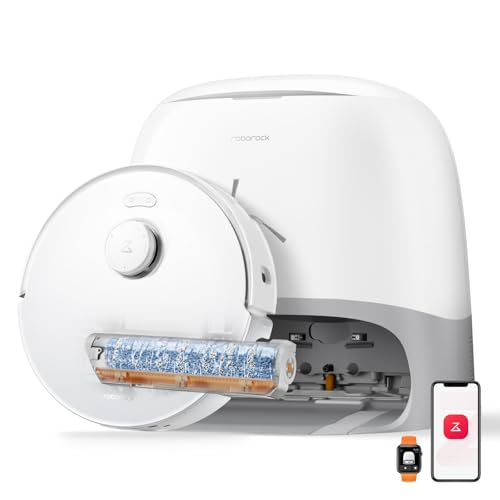 Our top pick from RoborockRoborock Qrevo Curv 2 Flow$550Compare robot vacuums →
Brushes, filters, blades and batteries with prices checked daily.
Roborock Qrevo Curv 2 Flow parts →One email for recalls, bad updates and new fixes for Roborock. Nothing else.
Roborock recalls
US Consumer Product Safety Commission database, checked dailyOK
We read every question. When several owners ask the same thing, the answer goes on this page.
Step by step fix for Error 10
Error 10 is about airflow. The robot measures how hard its fan is working and, when air cannot get through the filter, reports the filter as blocked or wet. These steps follow Roborock's app guide and manuals, with forum and owner steps marked.
- Open the cover, lift out the dust bin and empty it.
- Take out the filter and look at it. If it is damp, set it aside to dry for at least 24 hours.
- If it is caked with dust, rinse it several times and tap it to shake the dirt out. Do not rub the filter surface with your hands or a brush.
- Let the filter dry fully, then refit it and the bin.
- Restart the robot and try again.
- If the error stays with a dry, clean filter, fit a new genuine filter.
- If a new filter still gives the error, update the firmware and contact Roborock support.
Which Roborock models show Error 10
Error 10 comes from Roborock's older numbered error list. The Roborock app guide words it as Please make sure that the filter is dried or clean the filter, and explains that the filter may not be completely dry and should dry for at least 24 hours, or may be blocked and need cleaning. Xiaomi's Mi Robot Vacuum page, an older robot that shares this error list, points to a full bin or blocked filter.
Newer Roborock manuals, such as the Q7 Max, Q5+ and the German edition manual on Roborock's support site, no longer number it. They jump from Error 9 to Error 12 and show the same fault as Filter blocked or wet, clean, dry and retry. Our Roborock error code page lists Error 10 as filter blocked or wet, which matches.
Owners of the S5, S6 and S7 report the same message along with weaker suction in strong suction modes.
The part to replace if Error 10 keeps coming back
The filter is the part to replace. The S8 Pro Ultra manual says to rinse the washable filter, dry it for 24 hours and replace it as needed, and Xiaomi's Mi Robot page says to replace it after about 3 months of use or if the robot has sucked up water. A spare filter lets you swap one in while the other dries, which avoids refitting a damp one.
If new filters keep giving Error 10, the fan or the fine mesh around it may be packed with dust. Roborock forum staff suggest clearing the fan inlet with compressed air, and owners report that cleaning the mesh behind the bin fixed it. A fan that still struggles after that needs support.
When warranty or support makes sense
Contact Roborock when a new, dry filter still triggers Error 10. Contact Roborock support at [email protected] or on the US line, 1 855 960 4321, open 24/7. New robots carry a one year warranty from the purchase date, and you need a receipt or similar proof of purchase. Brushes and other consumables are excluded unless the fault sits in a non consumable part. Filters are consumables, so a clogged filter is not a warranty claim, but a fan fault inside the robot can be.
Questions people ask
What does Error 10 mean on a Roborock?
The filter is blocked or wet. Empty the bin, clean the filter, let it dry for at least 24 hours and refit it.
How long should a Roborock filter dry?
Roborock says at least 24 hours after rinsing. Refitting a damp filter is a common cause of this error.
Why does my Roborock say filter blocked with a new filter?
Dust may be packed in the fan inlet or the mesh behind the bin. Roborock forum staff suggest restarting, updating firmware and clearing the inlet with compressed air.
Can I wash the Roborock filter with a brush?
No. Roborock says to rinse it and tap it, and not to touch the filter surface with your hands, a brush or hard objects.
Does my Roborock show Error 10 as a number?
Older models do. Newer manuals show the same fault as Filter blocked or wet without a number.
Related
Read next

Sources
- Roborock app guide: error messages and solutions
- Roborock Q7 Max manual: errors (ManualsLib)
- Roborock support: robot vacuum user manual, German edition (errors list)
- Roborock S8 Pro Ultra manual (Roborock support)
- Xiaomi support: Mi Robot Vacuum error 10
- Roborock forum: S7 filter is wet or blocked (staff reply)
- Elektroda: Roborock S50 error 10 wet or clogged filter (owner thread)
- Roborock US: service and warranty