Roborock error 5: main brush jammed
Roborock Error 5 means the main brush is jammed or tangled. The quickest fix is to remove the main brush, cut away wrapped hair, clean the brush bearings and the brush chamber, then refit it.
Researched by the robotsforthat team · updated Oct 27, 2026 · How we research
Find your code
Affiliate links. We may earn a commission at no cost to you.
Error 5 is the main brush jammed error. Hair, string or debris wrapped around the main brush or its bearings stops it turning. Roborock's fix is to remove the main brush and clean the brush and its bearings, then check the brush chamber for debris. If the brush is clean and the error only shows on carpet, Roborock staff suggest checking Carpet mode is on; if the brush still will not spin, the brush motor needs Roborock support.
| What you see | Likely cause | Fix |
|---|---|---|
| Error 5 with hair on the brush | Hair or string wrapped around the main brush | Remove the brush and cut away the hair with the cleaning tool |
| Error 5, brush looks clean | Hair wound into the brush bearings at the ends | Pull off the main brush bearings and clean them, as Roborock's error list says |
| Error 5 after refitting the brush | Brush not seated or cover not latched | Reinsert the brush until it clicks and refit the brush cover |
| Error 5, brush and bearings clean | Debris in the brush chamber | Check the installation chamber for hair and debris and clear it |
| Error 5 only on carpet | Thick or low pile carpet loading the brush | Owner thread: Roborock staff asked owners to enable Carpet mode and send carpet photos to support |
| Error 5 with a worn, frayed brush | Main brush past its service life | Replace the main brush; Roborock suggests every 6 to 12 months Main brush · Check price → |
| Brush will not turn by hand | Blocked or failing brush motor or gears | Owner fix: iFixit owners clear dust with compressed air; if it still will not spin, contact Roborock support |
Meaning and fixes from Roborock's user manual on its support site, the Roborock app error guide, Roborock's US error list page and the Q7 Max and Q5+ manuals, checked October 27, 2026. The chamber check is from Digital Trends' Saros 10 error guide. Owner rows come from the Roborock community forum and iFixit.
What to do next
If it keeps coming back, contact Roborock support first, especially under warranty. Out of warranty, compare the repair quote with a new robot.
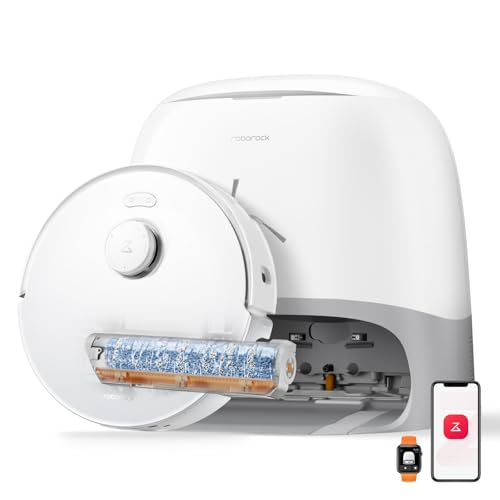 Our top pick from RoborockRoborock Qrevo Curv 2 Flow$550Compare robot vacuums →
Brushes, filters, blades and batteries with prices checked daily.
Roborock Qrevo Curv 2 Flow parts →One email for recalls, bad updates and new fixes for Roborock. Nothing else.
Roborock recalls
US Consumer Product Safety Commission database, checked dailyOK
We read every question. When several owners ask the same thing, the answer goes on this page.
Step by step fix for Error 5
Roborock's error list says: main brush jammed, clean the main brush and bearings. The maintenance section of the Q5+ manual gives the steps.
- Turn the robot off and flip it over on a soft surface.
- Press the latches to remove the main brush cover, then lift out the main brush.
- Pull off the main brush bearings at the ends and clear any wound hair.
- Cut away hair on the brush with the included cleaning tool, taking care not to damage the bristles.
- Check the brush chamber for hair and debris and clear it.
- Refit the brush until it clicks, latch the cover and restart.
- If the error only shows on carpet, check Carpet mode in the app; if the brush still will not spin, contact support.
Which Roborock models show Error 5
Every Roborock robot vacuum with a main brush uses Error 5, including the Q5 and Q7 lines, the S series, Q Revo and Saros models. The voice alert asks you to remove the main brush and clean the brush and bearing. Some models, such as the Q5+, use a rubber main brush and some use two brushes, so check your manual for the exact brush layout.
Digital Trends' guide to Saros 10 errors adds the brush installation chamber as a place to check, since hair there can stop the brush turning even after the brush itself is clean.
The part to replace if Error 5 keeps coming back
The main brush is the part to replace first. Roborock's maintenance table says to clean it every 2 weeks and replace it every 6 to 12 months. A brush with frayed bristles, a bent core or damaged end caps can bind and trigger Error 5 even when clean. Replace the main brush bearings too if they are cracked.
If a new brush still gives Error 5 and the brush will not turn freely when fitted, the brush motor or its gears are the likely fault. That is a support repair.
When warranty or support makes sense
Contact Roborock when a clean or new main brush still triggers Error 5. Roborock lists [email protected] and a US phone line, 1 855 960 4321, open 24/7. New robots carry a one year warranty from the purchase date if used and maintained as the manual says, and you need proof of purchase. Brushes and other consumables are excluded. Roborock staff on its forum have asked owners with carpet related brush jams to email support with photos of the carpet and their purchase details.
Questions people ask
What does Error 5 mean on a Roborock?
The main brush is jammed. Remove the brush, clear hair from it and its bearings, check the brush chamber, and refit it until it clicks.
Why does my Roborock show Error 5 when the brush is clean?
Hair often hides in the bearings at each end of the brush or in the brush chamber. Pull off the bearings and clean them, then check the chamber.
Why does Error 5 only happen on my carpet?
Some carpets load the brush more. Roborock staff asked owners in this situation to make sure Carpet mode is on and to send carpet photos to support if it continues.
How often should I replace the Roborock main brush?
Roborock says to clean it every 2 weeks and replace it every 6 to 12 months, sooner if it is frayed or damaged.
Is Error 5 covered by warranty?
Brushes are consumables and are excluded. A failed brush motor on a robot under a year old is a defect worth raising with Roborock support.
Related
Read next
Sources
- Roborock support: robot vacuum user manual (errors list)
- Roborock app guide: error messages and solutions
- Roborock US: error list (Italian)
- Roborock Q7 Max manual: errors (ManualsLib)
- Roborock Q5+ manual: errors (ManualsLib)
- Roborock Q5+ manual: routine maintenance (ManualsLib)
- Digital Trends: how to fix common Roborock Saros 10 errors
- Roborock forum: new S6 stops with main brush jam (owner thread)
- iFixit: Roborock Q5 Max Plus brush not moving (owner wiki)
- Roborock US: service and warranty