Roborock error 9: dust bin or filter not detected
Roborock Error 9 means the robot cannot detect its dust bin or filter. The quickest fix is to take out the bin and filter, refit both until they click into place, and restart; if that fails, fit a new genuine filter.
Researched by the robotsforthat team · updated Oct 27, 2026 · How we research
Find your code
Affiliate links. We may earn a commission at no cost to you.
Error 9 is the no dust bin error. The robot thinks the bin or filter is missing, usually because one of them is not fully seated after emptying. Roborock's fix is to reinstall the dust bin and filter and check both are in place. If the error persists, Roborock says to try a new filter; on newer models the filter carries a small magnet the robot uses to detect it, and a filter without that magnet will not be recognized.
| What you see | Likely cause | Fix |
|---|---|---|
| Error 9 right after emptying the bin | Dust bin not pushed fully into the robot | Take the bin out and push it back until it clicks, then restart |
| Error 9, bin is seated | Filter missing or not seated in the bin | Refit the filter in the bin and check it sits flat and locked |
| Error 9 after fitting a new filter | Filter without the detection magnet, often a non genuine filter | Check the filter has a magnet on its side; replace it with a filter that does |
| Error 9 that comes and goes | Filter worn or damaged | Roborock says to try replacing the filter if the problem persists Filter · Check price → |
| Error 9 after a wash | Bin or filter put back wet or not dried | Dry the filter fully before refitting, then reseat both |
| Error 9 with genuine parts fitted | Possible fault with the bin detection in the robot | Restart the robot, then contact Roborock support |
| Dock says dustbin or filter not installed | A dock error, not robot Error 9 | Owner thread: Roborock staff suggest checking the dock's front filter is in place and its bin button springs back freely |
Meaning and fixes from Roborock's user manual on its support site, the Roborock app error guide and the Q7 Max and Q5+ manuals, checked October 27, 2026. The filter magnet detail is from Digital Trends' Saros 10 error guide. The dock row is from a Roborock community forum thread with staff replies.
What to do next
If it keeps coming back, contact Roborock support first, especially under warranty. Out of warranty, compare the repair quote with a new robot.
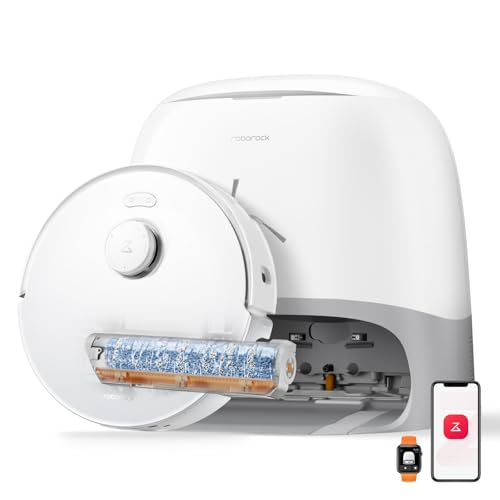 Our top pick from RoborockRoborock Qrevo Curv 2 Flow$550Compare robot vacuums →
Brushes, filters, blades and batteries with prices checked daily.
Roborock Qrevo Curv 2 Flow parts →One email for recalls, bad updates and new fixes for Roborock. Nothing else.
Roborock recalls
US Consumer Product Safety Commission database, checked dailyOK
We read every question. When several owners ask the same thing, the answer goes on this page.
Step by step fix for Error 9
Roborock's manuals keep this one simple: install the dust bin and filter. These checks go in order of how often they solve it.
- Open the top cover and lift out the dust bin.
- Open the bin and check the filter is present and seated flat in its slot.
- Make sure the filter and bin are completely dry if you washed them.
- Push the bin back in firmly until it clicks, close the cover and restart.
- If Error 9 returns, look for the small magnet on the side of the filter. If it is missing, fit a new genuine filter.
- If a new genuine filter does not clear it, restart the robot and contact Roborock support.
Which Roborock models show Error 9
Roborock's manuals for the Q5+, Q7 Max and S series word Error 9 as No dustbin, with the voice prompt asking you to install the dust bin and filter. The Roborock app guide adds that if reinstalling does not work, you should try replacing the filter.
On newer robots such as the Saros 10, the message points at the filter. Digital Trends' guide to Saros 10 errors says the robot looks for a magnet on the side of the filter, and filters without that magnet need replacing. That is why cheap third party filters can trigger Error 9 on newer models even when they fit.
Robots with a self emptying or wash dock can also show a dock message saying the dustbin or filter is not installed. That is a dock error, not Error 9 on the robot, and it points to the dock's own bin and filter.
The part to replace if Error 9 keeps coming back
The filter is the part to replace first. Roborock's maintenance tables treat it as a consumable you rinse as needed and swap when worn, and the S8 Pro Ultra manual suggests keeping a spare. Buy the filter listed for your exact model, since filters with the wrong shape or no magnet are a common cause of this code.
If the dust bin itself is cracked or its latch is broken, replace the dust bin. If genuine parts still give Error 9, the fault is inside the robot and needs support.
When warranty or support makes sense
Contact Roborock when a new genuine filter and bin still trigger Error 9. Roborock lists [email protected] and a US phone line, 1 855 960 4321, open 24/7. New robots carry a one year warranty from the purchase date if used and maintained as the manual says, and you need proof of purchase. Brushes and other consumables are excluded. Filters are consumables, so a worn filter is not a warranty claim, but a detection fault inside the robot can be.
Questions people ask
What does Error 9 mean on a Roborock?
The robot cannot detect the dust bin or the filter. Refit both firmly and restart. If it persists, Roborock says to try a new filter.
Why does my Roborock say Error 9 with the bin in?
The filter may be missing, wet, badly seated or without its detection magnet. Check the filter sits flat in the bin, is dry and has a magnet on its side on newer models.
Can a non genuine filter cause Roborock Error 9?
Yes. Newer Roborocks detect the filter through a small magnet. A filter without one is not recognized, so the robot reports the bin or filter as missing.
Is Error 9 the same as the dock bin error?
No. Error 9 is about the robot's own dust bin and filter. A dock message about the dustbin or filter points to the dock's bin, bag or filter instead.
How often should I replace the Roborock filter?
Roborock says to rinse the washable filter as needed, let it air dry for 24 hours, and replace it as needed. Keeping a spare lets you swap it while one dries.
Related
Read next
Sources
- Roborock support: robot vacuum user manual (errors list)
- Roborock app guide: error messages and solutions
- Roborock Q7 Max manual: errors (ManualsLib)
- Roborock Q5+ manual: errors (ManualsLib)
- Digital Trends: how to fix common Roborock Saros 10 errors
- Roborock S8 Pro Ultra manual (Roborock support)
- Roborock forum: S7+ dock dustbin or filter not installed (owner thread)
- Roborock US: service and warranty