Shark robot vacuum error 2: the side brush is stuck
Shark error 2 means the side brush is stuck and cannot spin. The quickest fix is to pull the side brush off its peg, unwind the hair and string from the brush and the gear under it, then snap it back on and spin it by hand.
Researched by the robotsforthat team · updated Oct 27, 2026 · How we research
Affiliate links. We may earn a commission at no cost to you.
Error 2 on a Shark robot vacuum means the side brush is stuck. The usual cause is hair, string or carpet fibers wound around the brush or the gear it sits on, or a brush that is bent or worn. Turn the robot off, pull the side brush off its peg, unwind everything wrapped around the brush and gear, wipe it with a dry cloth, snap it back over the peg and spin it by hand. If it still will not turn freely, fit a new side brush.
| What you see | Likely cause | Fix |
|---|---|---|
| Error 2 in the app or on the robot | Hair or string wrapped around the side brush | Power off, remove the side brush, unwind the hair and string, wipe it with a dry cloth and snap it back over the peg. |
| Side brush will not spin by hand | Debris packed around the brush gear or peg | Unwind and remove anything wrapped around the gear, then spin the brush by hand to check it turns freely. |
| Bristles bent, splayed or missing | Side brush worn or damaged | Remove a bent or damaged side brush and fit a new one. Shark says to replace it when visibly worn. Side brush · Check price → |
| Error 2 every time it crosses one area | Cords, rug fringe or tassels catch the brush | Owner fix: owners report cords knocking the brush off. Pick up cords and tuck rug fringe before a run. |
| Side brush keeps popping off | Worn mount where the brush snaps onto the peg | Owner fix: owners say the mount wears from repeated popping off and a new side brush was the only lasting fix. Side brush · Check price → |
| Error 2 returns on a new, clean brush | Fault inside the robot behind the brush | Contact SharkNinja support. The owner's guides send any problem the chart does not solve to customer service. |
From Shark owner's guides for the RV2800YE, RV2800S, Matrix RV2300AE and ION RV750, checked October 27, 2026. Rows marked Owner fix come from owner reports on iFixit.
What to do next
If it keeps coming back, contact Shark support first, especially under warranty. Out of warranty, compare the repair quote with a new robot.
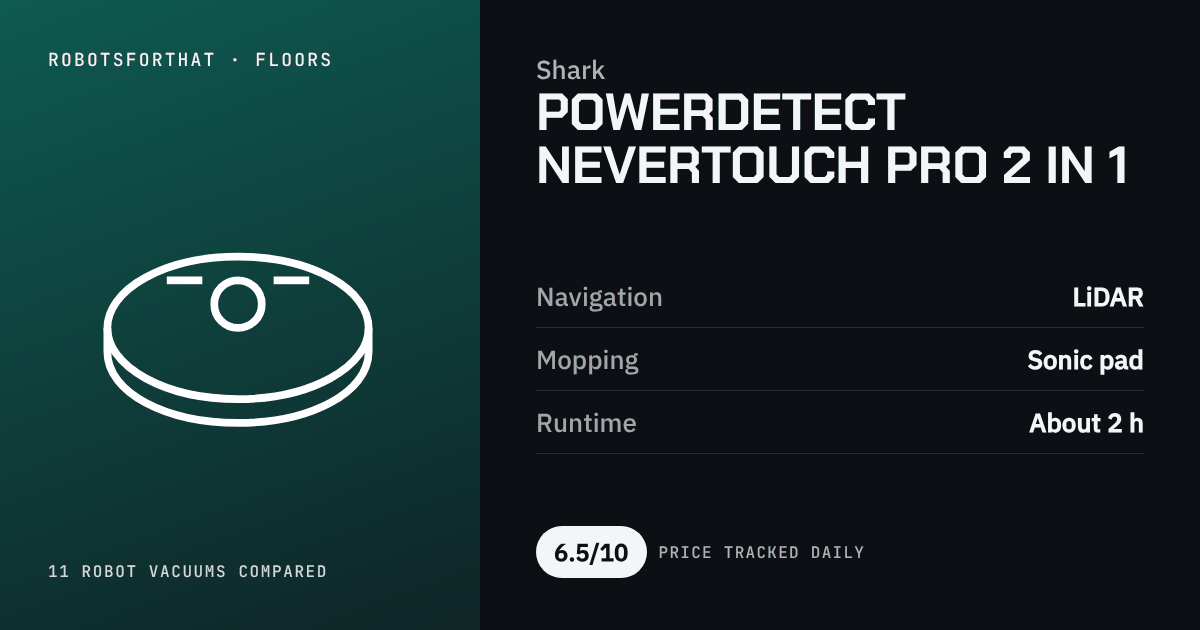 Our top pick from SharkShark PowerDetect NeverTouch Pro 2 in 1$500Compare robot vacuums →
One email for recalls, bad updates and new fixes for Shark. Nothing else.
Shark recalls
We read every question. When several owners ask the same thing, the answer goes on this page.
1. Clear the side brush, step by step
Every Shark guide we checked gives the same answer for error 2: remove the debris from around the side brush so it moves freely. Here is the full routine from the RV2800 series maintenance pages, in order. We do not test robots hands on, so these steps come from Shark's own guides.
- Turn the robot off. On PowerDetect models, press and hold the DOCK icon on the robot for 5 to 7 seconds. On older ION robots, flip the power switch on the side to off.
- Turn the robot over on a soft towel so you do not scratch the top.
- Pull the side brush straight off its peg.
- Carefully unwind and remove any string or hair wrapped around the brush and around the gear it sits on.
- Wipe the brush with a dry cloth. Shark's ION guide says you can wipe it with a damp cloth, but then let it air dry completely before refitting.
- Snap the brush back over the peg and spin it by hand. It should turn freely and sit flat.
- Turn the robot on and start a short clean to confirm the error has cleared.
2. Which Shark models show error 2, and how
App connected robots such as the PowerDetect NeverTouch RV2800 series and the Matrix RV2300 series show the number in the SharkClean app. The RV2800 guide calls it "Side brush is stuck" and the Matrix guide calls it "Side brush is blocked". The fix is the same.
Robots without a screen show the error as a light pattern instead of a number. The pattern differs by model, so match it against the error chart in your own owner's guide. The RV2800YE guide also notes that the side brush is not included on all models, so check the parts list for yours.
3. The part to replace if error 2 keeps coming back
The part to replace is the side brush. Shark's ION guide says to check the side brushes weekly, clean them as needed and replace them when they are visibly worn, and to remove any brush that is bent or damaged. A brush with splayed bristles drags on the floor and is more likely to snag. Shark lists side brushes as a replacement part in the Matrix RV2300 parts list, so buy the one made for your model.
Owners on iFixit with a Matrix RV2310 report that the mount the brush snaps onto can wear from repeated popping off, and that a new brush fixed it. If a new, clean side brush still triggers error 2, the problem is inside the robot behind the brush, and that is a job for SharkNinja service, not a home repair.
4. When to call SharkNinja, and when to replace the robot
Shark robots carry a one year limited warranty for purchases from authorized SharkNinja retailers, per the owner's guides. If error 2 returns with a new side brush fitted, contact SharkNinja support before buying more parts; the Matrix guide lists customer service at 888 228 5531.
Out of warranty, a side brush is a cheap part and is worth trying first. If the robot also has a weak battery, a worn brushroll and recurring wheel errors, compare the total repair cost with a new robot. Our Shark error code page lists the other codes that often show up alongside error 2.
Questions people ask
What does error 2 mean on a Shark robot vacuum?
It means the side brush is stuck. Shark's owner's guides say to remove any debris from around the side brush so it moves freely.
Why does my Shark say error 2 when nothing is stuck?
Hair is often wound around the gear under the brush, where you cannot see it with the brush on. Pull the brush off its peg and check the gear. A bent or worn brush can also trigger it.
How do I remove the side brush on a Shark robot?
Turn the robot off, flip it over and pull the brush straight off its peg. To refit it, snap it back over the peg and spin it by hand to check it is seated.
How often should I replace the Shark side brush?
Shark's ION guide says to check it weekly and replace it when visibly worn, or right away if it is bent or damaged.
Can a Shark robot run without the side brush?
Some Shark models ship without one, but on a model built with a side brush, run it with the brush fitted. Fit a new brush rather than running without it.
Related
Read next

Sources
- Shark: PowerDetect NeverTouch RV2800YE series owner's guide, error codes (hosted by ManualsLib)
- Shark: PowerDetect NeverTouch RV2800YE series owner's guide, maintenance (hosted by ManualsLib)
- Shark: PowerDetect RV2800S owner's guide (hosted by ManualsLib)
- Shark: Matrix RV2300AE owner's guide, error codes (hosted by ManualsLib)
- Shark: ION Robot RV750 owner's guide, troubleshooting (hosted by ManualsLib)
- Shark: ION Robot RV750 owner's guide, side brush care (hosted by ManualsLib)
- iFixit Answers: Shark Matrix RV2310 side brush keeps coming off (owner reports)