Shark robot vacuum error 9: the dust bin is not seated
Shark error 9 means the robot dust bin is not seated and needs to be reinstalled. The quickest fix is to press the dust bin release button, slide the bin out and push it back in fully until it clicks.
Researched by the robotsforthat team · updated Oct 27, 2026 · How we research
Find your code
Affiliate links. We may earn a commission at no cost to you.
Error 9 on a Shark robot vacuum means the robot dust bin is not seated and needs to be reinstalled. Most of the time the bin went back in partway after emptying. Press the dust bin release button, slide the bin out, check the lid is closed and the filter is in place, then push it in fully until it clicks. If the error will not clear on a seated bin, the bin or its latch may be worn and a new robot dust bin is the part to try.
| What you see | Likely cause | Fix |
|---|---|---|
| Error 9 right after emptying | Bin pushed in partway | Press the dust bin release button, slide the bin out and insert it fully until it clicks into place. |
| Battery LED red and right LED yellow, solid (RV2800S) | This is how error 9 shows on robots without a screen | Reinsert the dust bin until it clicks in place. |
| CLEAN red and MAX flashing (older ION RV750) | Dust bin has been removed | Reinsert the dust bin. |
| Error 9 that will not clear on a seated bin | Dust or debris on the contact points between bin and robot | Owner fix: an expert answer on JustAnswer says to wipe the contact pins on the bin and inside the robot with a dry microfiber cloth, then reinsert until it clicks. |
| Error 9 stuck after cleaning everything | Robot needs a full restart | Owner fix: the same answer suggests holding power for 10 seconds, removing the battery for 5 minutes, refitting it and charging on the dock before powering on. |
| Error 26, not 9 (self empty models) | Blockage in the dust bin or base, a different fault | Check the evacuation ports on the base and the robot bin for clogs, clear them, and reinstall the base dust bin until it clicks. |
| Error 9 keeps returning | Worn or damaged robot dust bin or latch | Fit a new robot dust bin for your model, or contact SharkNinja support if the robot is in warranty. |
From Shark owner's guides for the RV2800YE, RV2800S, Matrix RV2300AE and ION RV750, checked October 27, 2026. Rows marked Owner fix come from a third party expert answer on JustAnswer, not from Shark.
What to do next
If it keeps coming back, contact Shark support first, especially under warranty. Out of warranty, compare the repair quote with a new robot.
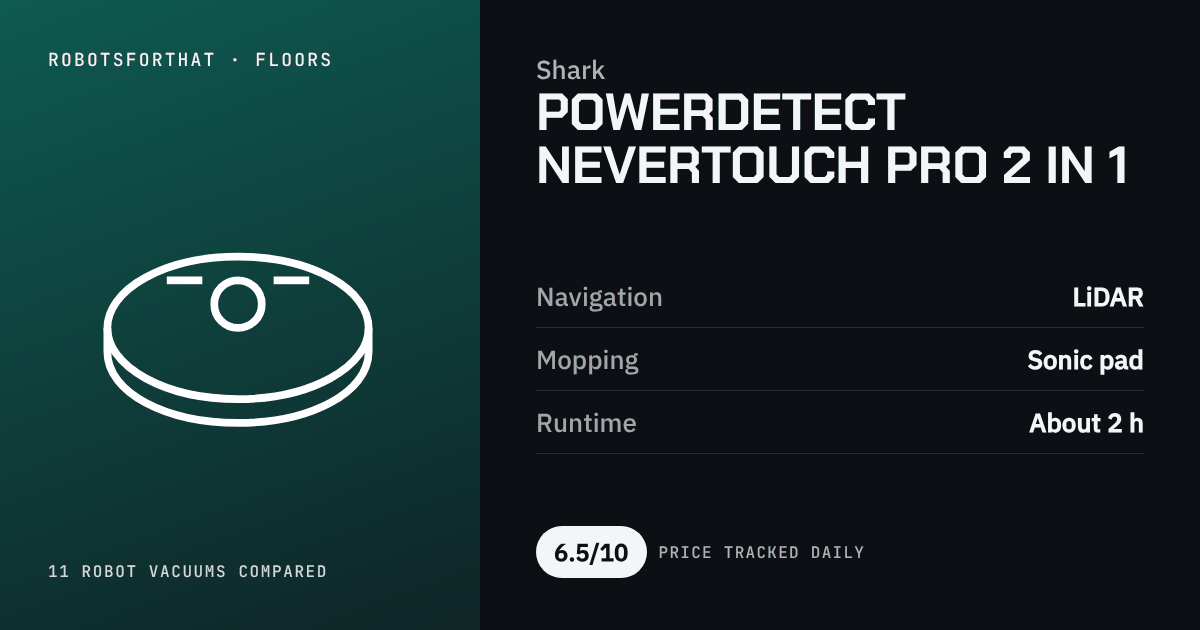 Our top pick from SharkShark PowerDetect NeverTouch Pro 2 in 1$500Compare robot vacuums →
One email for recalls, bad updates and new fixes for Shark. Nothing else.
Shark recalls
We read every question. When several owners ask the same thing, the answer goes on this page.
1. Reseat the robot dust bin, step by step
Shark's fix for error 9 is short: reinstall the robot dust bin until it clicks. The steps below come from the Matrix RV2300 and RV2800 series owner's guides. We do not test robots hands on.
- Turn the robot off. On Matrix and PowerDetect models, press and hold DOCK on the robot for 5 to 7 seconds.
- Press the dust bin release button and slide the bin out.
- Empty it, then pinch the finger slots and close the lid fully.
- On RV2800 series robots, slide the filter out of the bin and tap it over the trash. Do not use water or soap on this filter. Slide it back in.
- Check the back of the bin for hair or debris and clear it.
- Insert the bin fully until it clicks into place. A bin that stops short will keep the error on.
- Turn the robot on and start a short clean.
2. Which Shark models show error 9, and how
App connected models show the number in the SharkClean app. The PowerDetect NeverTouch RV2800 guide calls it "Robot dust bin needs to be reinstalled" and the Matrix RV2300 guide calls it "Dust bin not seated". Both mean the robot cannot detect its own bin.
Robots without a screen use lights. On the PowerDetect RV2800S, error 9 is the battery LED solid red with the right LED solid yellow. On the older ION RV750, CLEAN glows red with MAX flashing, which the guide describes as the dust bin removed. Self empty models also have a separate error 26, which means a blockage in the bin or base, so read the number carefully before you start.
3. The part to replace if error 9 keeps coming back
If a clean, dry bin that clicks in still shows error 9, the part to replace is the robot dust bin. SharkNinja sells it per model. For example, the Matrix Self Empty Robot Dust Cup, part 605GP2300AE, fits the RV2300S and RV2300AE and lists at $35.99 on SharkNinja's store. PowerDetect models use their own dust cup, so match the part to your model number.
A worn latch or cracked bin edge can stop the bin from clicking in. Before buying, try the owner tips from the table: wipe the contact points with a dry cloth and do a full restart. Those come from a third party answer, not from Shark.
4. When to call SharkNinja, and when to replace the robot
Shark robots carry a one year limited warranty when bought from an authorized retailer, per the owner's guides. If error 9 shows up in the first year with a bin that clicks in, contact SharkNinja support instead of buying parts. The Matrix guide lists customer service at 888 228 5531.
A new dust bin costs far less than a new robot, so try it first out of warranty. If the robot shows error 9 with a new bin, the bin detection inside the robot has likely failed. At that point, weigh a repair quote against a new robot, especially if the battery and brushroll are also worn.
Questions people ask
What does error 9 mean on a Shark robot vacuum?
It means the robot dust bin is not seated and needs to be reinstalled. Push the bin in fully until it clicks.
Why does my Shark robot still say error 9 when the bin is in?
The bin may be in but not latched. Slide it out, check the back of the bin for debris, close the lid and push it in until it clicks. If it still shows, try a new robot dust bin.
Can I wash the Shark robot dust bin?
Shark's Matrix guide says you may wipe it with a damp cloth, then let it dry for 24 hours before use. Do not use water or soap on the filter inside the RV2800 series bin.
Is Shark error 9 the same as error 26?
No. Error 9 means the robot bin is not seated. Error 26 on self empty models means a blockage in the dust bin or base evacuation ports.
Where do I buy a new Shark robot dust bin?
SharkNinja sells robot dust bins per model, such as part 605GP2300AE for the Matrix RV2300S and RV2300AE. Check your model number on the label under the robot first.
Related
Read next

Sources
- Shark: PowerDetect NeverTouch RV2800YE series owner's guide, error codes (hosted by ManualsLib)
- Shark: PowerDetect NeverTouch RV2800YE series owner's guide, maintenance (hosted by ManualsLib)
- Shark: PowerDetect RV2800S owner's guide (hosted by ManualsLib)
- Shark: Matrix RV2300AE owner's guide, error codes (hosted by ManualsLib)
- Shark: Matrix RV2300AE owner's guide, dust bin maintenance (hosted by ManualsLib)
- Shark: ION Robot RV750 owner's guide, troubleshooting (hosted by ManualsLib)
- SharkNinja: Matrix Self Empty Robot Dust Cup 605GP2300AE
- JustAnswer: Shark AV2510 error 9 (third party expert answer)