Roborock error 13: charging error
Roborock Error 13 is a charging error: the robot is on the dock but is not getting power through its charging contacts. The quickest fix is to clean the contacts on the robot and the dock with a dry cloth, reseat the robot and check the dock is powered.
Researched by the robotsforthat team · updated Oct 27, 2026 · How we research
Find your code
Affiliate links. We may earn a commission at no cost to you.
Error 13 means the robot cannot charge, almost always because the charging contacts on the robot or dock are dirty or not touching. Roborock says to wipe both sets of contacts with a dry cloth and try again; for stains or rust, use a cloth with alcohol or an eraser. Then check the dock indicator is lit and both ends of the power cable are pushed in. If clean contacts and a powered dock still give Error 13, the battery or main board may be at fault and Roborock support should take over.
| What you see | Likely cause | Fix |
|---|---|---|
| Error 13 on the dock | Dirty charging contacts on the robot or dock | Wipe both sets of contacts with a dry cloth and retry |
| Error 13, contacts look stained or rusty | Residue on the contacts | Clean them with a cloth moistened with alcohol or an eraser, as Roborock advises |
| Dock light stays on with the robot docked | Robot not making contact with the dock | Nudge the robot until the dock light turns off, which shows it is charging |
| Dock light off | Dock has no power | Push both ends of the power cable in firmly and check the dock indicator lights up |
| Error 13 on one outlet only | Faulty outlet or power adapter | Owner fix: iFixit owners test the outlet with another device and check the adapter and cable for damage |
| Robot slides off or misses the contacts | Dock on carpet or uneven floor | Place the dock on flat, hard floor |
| Error 13 in a very hot or cold room | Battery outside its charging range | Use the robot between 39 and 104 F (4 to 40 C) |
| Error 13 after the robot is fully charged | Possible battery or main board fault | Owner thread: Roborock staff pointed to a board fault; contact Roborock support |
Meaning and fixes from Roborock's user manual on its support site, the Roborock app error guide, the Q5+ and Q Revo manuals and Roborock's Auto Empty Dock article, checked October 27, 2026. Owner rows come from iFixit and the Roborock community forum.
What to do next
If it keeps coming back, contact Roborock support first, especially under warranty. Out of warranty, compare the repair quote with a new robot.
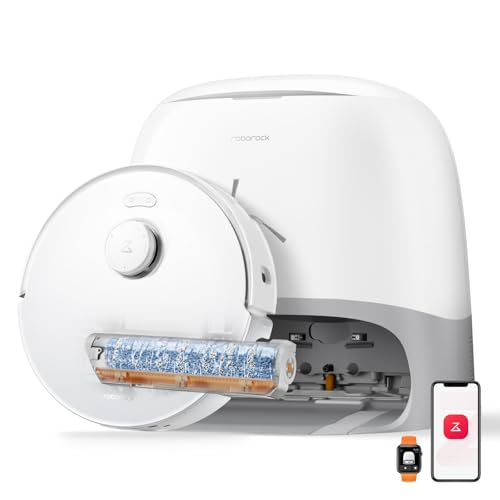 Our top pick from RoborockRoborock Qrevo Curv 2 Flow$550Compare robot vacuums →
Brushes, filters, blades and batteries with prices checked daily.
Roborock Qrevo Curv 2 Flow parts →One email for recalls, bad updates and new fixes for Roborock. Nothing else.
Roborock recalls
US Consumer Product Safety Commission database, checked dailyOK
We read every question. When several owners ask the same thing, the answer goes on this page.
Step by step fix for Error 13
Roborock's error list says: charging error, clean the charging contacts and retry. Its other support pages fill in the checks around that.
- Lift the robot and wipe the two charging contacts underneath with a dry cloth.
- Wipe the charging contacts on the dock the same way.
- For stains or rust, use a cloth moistened with alcohol or an eraser.
- Check the dock indicator is lit and both ends of the dock power cable are pushed in.
- Put the robot back on the dock. On Auto Empty Docks the light should go off once the robot is seated.
- Make sure the dock sits on flat, hard floor and the room is between 39 and 104 F.
- Try another outlet. If Error 13 still shows, contact Roborock support.
Which Roborock models show Error 13
Error 13 appears on Roborock robots from the older S5 and S50 to the Q series and newer docks. The voice alert says charging error and asks you to clean the charging contact area. The Roborock app guide words the fix as wiping the robot's charging contacts and the dock's charging tabs with a dry cloth.
On models with an Auto Empty Dock, Roborock adds a useful check: the dock light should be solid with no robot on it and off once the robot is docked. If the light stays on with the robot in place, the contacts are not touching. On wash docks such as the S8 Pro Ultra, a red station light means a dock fault rather than Error 13.
The part to replace if Error 13 keeps coming back
Try a different dock power adapter or power cable first if yours is damaged; iFixit's Q5 Max Plus guide lists both as causes. Worn or bent charging contacts on the dock can mean replacing the dock.
If the contacts and dock are fine, the battery is next. iFixit's S5 wiki says a robot that will not charge with clean contacts and a powered dock may need a new battery. In one Roborock forum thread, an S50 kept showing Error 13 after resets and contact cleaning, and Roborock staff pointed to a possible main board fault. That is a support repair, not a home fix.
When warranty or support makes sense
Contact Roborock when clean contacts, a working outlet and a seated robot still give Error 13. Roborock lists [email protected] and a US phone line, 1 855 960 4321, open 24/7. New robots carry a one year warranty from the purchase date if used and maintained as the manual says, and you need proof of purchase. Brushes and other consumables are excluded.
Out of warranty, a new battery is usually worth it on a robot that otherwise runs well. If the main board has failed on an older model, replacing the robot often makes more sense.
Questions people ask
What does Error 13 mean on a Roborock?
It is a charging error. The robot is not getting power from the dock, usually because the charging contacts are dirty or not touching. Clean them and retry.
How do I clean Roborock charging contacts?
Wipe the contacts under the robot and on the dock with a dry cloth. Roborock suggests a cloth with alcohol or an eraser for stains or rust.
Why does my Roborock show Error 13 when it is on the dock?
It is sitting on the dock without contact. On Auto Empty Docks, the dock light should go off once the robot is seated. Nudge it until it does, and check the dock is on flat, hard floor.
Can a cold room cause Roborock Error 13?
Roborock says to use the robot between 39 and 104 F, and it slows charging at high or low temperatures. Move it to a room in that range if it is very hot or cold.
Does Error 13 mean the battery is bad?
Not usually. Most cases are dirty contacts or a dock without power. If those are ruled out, the battery or main board may be at fault and Roborock support should check it.
Related
Read next

Sources
- Roborock support: robot vacuum user manual (errors list)
- Roborock app guide: error messages and solutions
- Roborock Q5+ manual: errors (ManualsLib)
- Roborock Q5 Pro+ manual: common issues (ManualsLib)
- Roborock Q Revo manual: common issues (ManualsLib)
- Roborock support: robot fails to dock properly on the Auto Empty Dock
- Roborock S8 Pro Ultra manual (Roborock support)
- iFixit: Roborock Q5 Max Plus not charging (owner wiki)
- iFixit: Roborock S5 troubleshooting (owner wiki)
- Roborock forum: S50 Error 13 while docked (owner thread)
- Roborock US: service and warranty