Roborock error 4: cliff sensor error
Roborock Error 4 means the cliff sensors under the robot think it is at a drop. The quickest fix is to wipe the cliff sensors with a soft dry cloth, move the robot away from stairs or ledges and restart.
Researched by the robotsforthat team · updated Oct 27, 2026 · How we research
Affiliate links. We may earn a commission at no cost to you.
Error 4 is the cliff sensor error. The infrared sensors under the robot detect drops such as stairs, and they trigger when they are dirty, when the robot is near a ledge or lifted, or when a dark rug absorbs their light. Roborock's fix is to clean the cliff sensors, move the robot away from drops and restart. If a dark or black patterned rug keeps setting it off, block the rug with a no go zone; if one sensor stays triggered on any floor, the cliff sensor or its wiring needs Roborock support.
| What you see | Likely cause | Fix |
|---|---|---|
| Error 4 anywhere in the home | Dirty cliff sensors under the robot | Wipe all cliff sensors with a soft, dry cloth and restart |
| Error 4 at stairs or a step | Robot at a real drop or ledge | Move the robot away from the drop and restart |
| Error 4 with the robot lifted or tilted | Robot suspended off the floor | Place it flat on the floor in a new spot and restart |
| Error 4 on a dark or black rug | Dark carpet absorbs the sensor light and looks like a drop | Move the robot off the rug; owners add a no go zone or virtual barrier around it |
| Robot will not cross a black rug border | Dark pattern read as a cliff | Owner fix: owners block the rug in the app; Roborock staff say there is no setting to turn the cliff sensors off |
| Error 4 at startup on flat floor | One cliff sensor stuck triggered | Owner thread: replacing the sensor did not fix it for one S7 MaxV owner; contact Roborock support |
Meaning and fixes from Roborock's user manual on its support site, the Roborock app error guide, Roborock's US error list page, the Q7 Max and Q5+ manuals and the S8 Pro Ultra manual, checked October 27, 2026. Rug and sensor rows come from Roborock community forum threads, including staff replies.
What to do next
If it keeps coming back, contact Roborock support first, especially under warranty. Out of warranty, compare the repair quote with a new robot.
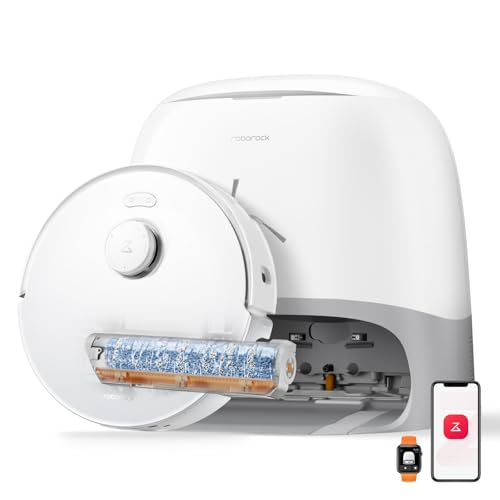 Our top pick from RoborockRoborock Qrevo Curv 2 Flow$550Compare robot vacuums →
Brushes, filters, blades and batteries with prices checked daily.
Roborock Qrevo Curv 2 Flow parts →One email for recalls, bad updates and new fixes for Roborock. Nothing else.
Roborock recalls
US Consumer Product Safety Commission database, checked dailyOK
We read every question. When several owners ask the same thing, the answer goes on this page.
Step by step fix for Error 4
Roborock's error list says: cliff sensor error, clean the cliff sensors, move the robot away from drops and restart. The Roborock app guide adds that the robot may be suspended, or the sensor may simply be too dirty.
- Turn the robot over and find the cliff sensors, the small windows around the front edge of the underside.
- Wipe each one with a soft, dry cloth. Do not use liquid cleaners.
- Put the robot on flat, hard floor away from stairs, steps and ledges.
- Restart the clean.
- If Error 4 only happens on one rug, move the robot off it and draw a no go zone around the rug in the app.
- If Error 4 appears on flat floor right after startup, restart the robot and contact Roborock support.
Which Roborock models show Error 4
All Roborock robot vacuums have cliff sensors and use Error 4, from the Q5 and Q7 to the S series, Q Revo and Saros lines. The voice alert asks you to wipe the cliff sensor and move the robot away from drops. The S8 Pro Ultra manual lists the cliff sensors alongside the wall, obstacle and carpet sensors, all cleaned as needed with a soft dry cloth.
Dark rugs trouble every model to some degree. Roborock staff on its forum explained that dark or multicolored carpets can absorb light so the robot misreads them as a cliff, and that there is no hardware or software switch to turn the cliff sensors off. Owners report taping foil or white tags over the sensors, but staff warned this disables drop detection and can lead to falls on stairs, so we do not recommend it.
The part to replace if Error 4 keeps coming back
If one cliff sensor stays triggered on every floor even after cleaning, the cliff sensor itself or its connection is the suspect part. One S7 MaxV owner on Roborock's forum found the rear left sensor stayed active in test mode and replacing it with an original part did not clear the error, which points to a board or wiring fault. That is a job for Roborock support rather than a home repair.
When warranty or support makes sense
Contact Roborock when Error 4 shows on flat, light colored floor with clean sensors. Roborock lists [email protected] and a US phone line, 1 855 960 4321, open 24/7. New robots carry a one year warranty from the purchase date if used and maintained as the manual says, and you need proof of purchase. Brushes and other consumables are excluded.
If Error 4 only happens on one dark rug, it is not a defect. A no go zone around the rug, or a lighter rug in that room, solves it without a repair.
Questions people ask
What does Error 4 mean on a Roborock?
It is a cliff sensor error. The sensors under the robot think it is at a drop. Clean them, move the robot away from ledges and restart.
Why does my Roborock show Error 4 on a black rug?
Dark carpets can absorb the cliff sensors' light, so the robot reads them as a drop. Roborock staff confirm this. Block the rug with a no go zone in the app.
Can I turn off the cliff sensors on a Roborock?
No. Roborock staff say there is no hardware or software setting to disable them. Covering the sensors is risky because the robot can then fall down stairs.
How do I clean Roborock cliff sensors?
Turn the robot over and wipe each cliff sensor with a soft, dry cloth. Roborock lists this as as needed maintenance for all its sensors.
What if Error 4 happens on a flat floor?
Clean the sensors and restart. If it still shows at startup on flat floor, one sensor may be faulty, so contact Roborock support.
Related
Read next

Sources
- Roborock support: robot vacuum user manual (errors list)
- Roborock app guide: error messages and solutions
- Roborock US: error list (Italian)
- Roborock Q7 Max manual: errors (ManualsLib)
- Roborock Q5+ manual: errors (ManualsLib)
- Roborock S8 Pro Ultra manual (Roborock support)
- Roborock forum: robot will not cross a dark rug border (owner thread)
- Roborock forum: robot spins on a dark patterned rug (owner thread)
- Roborock forum: S7 MaxV Error 4 cliff sensor (owner thread)
- Roborock US: service and warranty