Roborock error 6: side brush jammed
Roborock Error 6 means the side brush is jammed, usually by hair or string wrapped around it. The quickest fix is to remove the side brush, clean it and the shaft under it, refit it and restart.
Researched by the robotsforthat team · updated Oct 27, 2026 · How we research
Affiliate links. We may earn a commission at no cost to you.
Error 6 is the side brush jammed error. Hair, string or thread wraps around the small spinning brush at the front corner until its motor is overloaded. Roborock's fix is to remove the side brush and clean it. If the error stays, replace the side brush, which Roborock treats as a consumable to swap every three to six months; if a clean, new brush still will not spin, the side brush motor may be at fault.
| What you see | Likely cause | Fix |
|---|---|---|
| Error 6 after cleaning a room with hair or rugs | Hair or string wrapped around the side brush | Remove the side brush and clean it |
| Error 6 with the brush clean on top | Debris wound around the shaft under the brush | Unscrew the side brush, lift it off, clear the shaft and refit it, tightening the screw |
| Error 6 that returns soon after cleaning | Side brush motor overloaded by wrapped foreign matter | Stop the robot and clear everything around the brush; if it persists, remove the brush with a Phillips screwdriver to check it |
| Bent, matted or short bristles | Worn side brush | Replace the side brush; Roborock suggests every 3 to 6 months Side brush · Check price → |
| Error 17 instead of Error 6 | A side brush module error, not a jam | Reset the robot |
| Brush will not turn even when clean and free | Owner fix: failed side brush motor | Owner fix: iFixit's S5 series guide replaces the side brush motor in about 10 minutes with a Phillips screwdriver |
Meaning and fixes from Roborock's user manuals on its support site, the Roborock app error guide, Roborock's US error list, the Q7 Max and Q5+ manuals and the S8 Pro Ultra manual, checked October 27, 2026. The overload wording is from Xiaomi's Mi Robot Vacuum error 6 page. Rows marked Owner fix come from iFixit guides.
What to do next
If it keeps coming back, contact Roborock support first, especially under warranty. Out of warranty, compare the repair quote with a new robot.
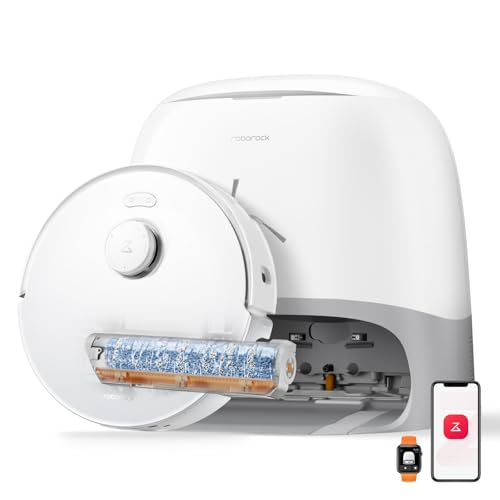 Our top pick from RoborockRoborock Qrevo Curv 2 Flow$550Compare robot vacuums →
Brushes, filters, blades and batteries with prices checked daily.
Roborock Qrevo Curv 2 Flow parts →One email for recalls, bad updates and new fixes for Roborock. Nothing else.
Roborock recalls
US Consumer Product Safety Commission database, checked dailyOK
We read every question. When several owners ask the same thing, the answer goes on this page.
Step by step fix for Error 6
The side brush is the small spinning brush at the front corner that sweeps debris from edges toward the main brush. It catches hair easily. When it cannot turn, the robot reports Error 6. These steps follow Roborock's manuals and the S8 Pro Ultra brush removal steps.
- Turn the robot off and flip it over on a soft surface.
- Unscrew the side brush screw and lift the brush off.
- Pull hair and string off the bristles and the hub.
- Clear anything wrapped around the shaft the brush sits on.
- Refit the side brush and tighten the screw.
- Turn the robot over and restart it.
- If the bristles are bent or matted, fit a new side brush.
- If a new brush still will not spin, contact Roborock support.
Which Roborock models show Error 6
Roborock uses the same Error 6 across its lineup. The Roborock app guide says Please remove and clean the side brush, and explains the brush may be entangled with foreign matter. The Q7 Max and Q5+ manuals word it as Side brush jammed, remove and clean side brush. Roborock's US error list says the side brush is blocked. Our Roborock error code page lists it as side brush stuck, which means the same thing.
Error 17 is a different code. Roborock words it as side brush error or side brush module error, with the fix to reset the robot. Xiaomi's support page for the Mi Robot Vacuum, an older robot that shares this error list, adds that Error 6 means the side brush motor is overloaded because the brush is wrapped with foreign matter.
The part to replace if Error 6 keeps coming back
The side brush is the first part to replace. The Q5+ and S8 Pro Ultra maintenance tables say to clean it monthly and replace it every 3 to 6 months. Buy the brush listed for your exact model, since the mount differs between lines. Keeping a spare makes this a two minute job.
If a new brush on a clear shaft still does not turn, the side brush motor is the likely cause. iFixit has an owner guide to swap the side brush motor on the S5 series, rated easy and about 10 minutes with a Phillips #2 screwdriver. Do this only on a robot out of warranty.
When warranty or support makes sense
Contact Roborock when a clean, new side brush still triggers Error 6 or Error 17. Contact Roborock support at [email protected] or on the US line, 1 855 960 4321, open 24/7. New robots carry a one year warranty from the purchase date, and you need a receipt or similar proof of purchase. Brushes and other consumables are excluded unless the fault sits in a non consumable part. A worn side brush is not a warranty claim, but a failed side brush motor inside the robot can be.
Questions people ask
What does Error 6 mean on a Roborock?
The side brush is jammed, usually by hair or string. Remove the side brush, clean it and the shaft under it, and refit it.
How do I remove the Roborock side brush?
Turn the robot over, unscrew the side brush screw and lift the brush off. Clean it, refit it and tighten the screw.
How often should I replace the Roborock side brush?
Roborock's maintenance tables say to clean it monthly and replace it every 3 to 6 months.
What is the difference between Error 6 and Error 17?
Error 6 means the side brush is jammed. Error 17 is a side brush module error, and Roborock's fix is to reset the robot.
Why does my Roborock side brush keep jamming?
Hair, string and thread wrap around it. Clean it when you see buildup, at least monthly per Roborock's maintenance table, and replace it every 3 to 6 months.
Related
Read next

Sources
- Roborock support: robot vacuum user manual (errors list)
- Roborock app guide: error messages and solutions
- Roborock US: error list (Spanish)
- Roborock Q7 Max manual: errors (ManualsLib)
- Roborock Q5+ manual: errors (ManualsLib)
- Roborock Q5+ manual: routine maintenance (ManualsLib)
- Roborock S8 Pro Ultra manual (Roborock support)
- Xiaomi support: Mi Robot Vacuum error 6
- iFixit: Roborock S5 series side brush motor replacement (owner guide)
- Roborock US: service and warranty