Roborock error 8: robot trapped
Roborock Error 8 means the robot is trapped and cannot move on. The quickest fix is to clear the obstacles around it, check the wheels turn freely, move it to open floor and restart.
Researched by the robotsforthat team · updated Oct 27, 2026 · How we research
Find your code
Affiliate links. We may earn a commission at no cost to you.
Error 8 is the robot trapped error. It shows when the robot is wedged under furniture, caught on cables or chair legs, or boxed into a tight spot it cannot leave. Roborock's fix is to clear the obstacles around the robot, move it to a new spot and restart. If it keeps getting trapped in the same place, block that spot with a no go zone or invisible wall in the Roborock app.
| What you see | Likely cause | Fix |
|---|---|---|
| Error 8 under a sofa or bed | Robot wedged under low furniture | Pull it out, clear the area and restart from open floor |
| Error 8 among chair legs | Robot boxed in by legs or tight gaps | Move the chairs or the robot and restart |
| Error 8 with a cable or cord nearby | Caught on cables, cords or small objects | Clear cables and small items from the floor, as Roborock advises before cleaning |
| Error 8 with a wheel not turning | Hair or debris jamming a main or caster wheel | Check the wheels turn freely; remove the caster wheel with a small screwdriver to clean it |
| Error 8 on a rug or threshold | Robot caught on a rug edge or high threshold | Move it and restart; if it repeats, add a no go zone there |
| Error 8 in the same spot every clean | A trap spot in the map | Owner fix: owners block the spot with a no go zone or virtual barrier in the app |
| Error 8 with nothing around it | Temporary system fault | Restart; Roborock notes a system reset may solve some problems, then contact support if it continues |
Meaning and fixes from Roborock's user manual on its support site, the Roborock app error guide, the Q7 Max, Q5+ and Q Revo manuals and Roborock's troubleshooting blog, checked October 27, 2026. The no go zone row is an owner report from the Roborock community forum.
What to do next
If it keeps coming back, contact Roborock support first, especially under warranty. Out of warranty, compare the repair quote with a new robot.
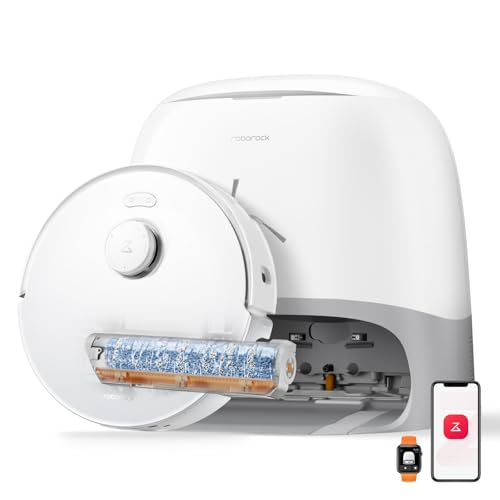 Our top pick from RoborockRoborock Qrevo Curv 2 Flow$550Compare robot vacuums →
Brushes, filters, blades and batteries with prices checked daily.
Roborock Qrevo Curv 2 Flow parts →One email for recalls, bad updates and new fixes for Roborock. Nothing else.
Roborock recalls
US Consumer Product Safety Commission database, checked dailyOK
We read every question. When several owners ask the same thing, the answer goes on this page.
Step by step fix for Error 8
Roborock's error list says: robot trapped, clear obstacles surrounding the robot. The Roborock app guide adds that the robot may be stuck or caught on objects.
- Find the robot and look at what it is caught on: furniture, cables, chair legs or a rug edge.
- Lift it clear and remove the obstacle if you can.
- Check both main wheels and the front caster wheel turn freely. Clear wrapped hair or debris.
- Put the robot on open floor and restart the clean.
- If it gets trapped in the same place again, open the map in the Roborock app and add a no go zone or invisible wall around that spot.
- If Error 8 shows with nothing around the robot, restart it and contact Roborock support if it continues.
Which Roborock models show Error 8
All Roborock robot vacuums use Error 8 for a trapped robot, from the Q5 and Q7 to the S series and Qrevo lines. The voice alert asks you to clear obstacles around the robot. Error 7 (wheels jammed) and Error 2 (bumper stuck) are close cousins, so if the alert mentions wheels or the bumper, clean those parts first.
Robots with a mop module or tall LiDAR turret can catch under furniture that a slimmer robot clears. Check the clearance under your sofa and beds against your model's height.
The part to replace if Error 8 keeps coming back
If the robot gets trapped in open areas, a worn or jammed wheel is the usual cause. Roborock's manuals say the omnidirectional (caster) wheel can be pried out with a small screwdriver for cleaning; if it is cracked or no longer spins, replace the caster wheel. iFixit owners also replace the front omnidirectional wheel assembly on older S series robots.
A bumper that stays pressed in can also leave the robot unable to move away from objects. Clean around the bumper and tap it gently until it moves freely.
When warranty or support makes sense
Contact Roborock if Error 8 appears on open floor with clean wheels, or if a wheel motor does not turn. Roborock lists [email protected] and a US phone line, 1 855 960 4321, open 24/7. New robots carry a one year warranty from the purchase date if used and maintained as the manual says, and you need proof of purchase. Brushes and other consumables are excluded. Wheels jammed by hair are maintenance, but a failed wheel motor on a new robot is a warranty question.
If the robot only gets trapped in certain rooms, the cheapest fix is the home, not the robot: lift cables, move chairs and add no go zones.
Questions people ask
What does Error 8 mean on a Roborock?
The robot is trapped and cannot move on. Clear the obstacles around it, check the wheels turn freely, move it to open floor and restart.
Why does my Roborock keep getting Error 8 in the same place?
That spot traps it, often under low furniture or among chair legs. Move the obstacle or draw a no go zone around it in the Roborock app.
What is the difference between Roborock Error 7 and Error 8?
Error 7 means the wheels are jammed. Error 8 means the whole robot is trapped. Both start with checking the wheels and moving the robot.
Can cables cause Roborock Error 8?
Yes. Cords and cables are a common trap. Roborock's tips are to tuck cables away and pick up small objects before a clean.
Should I contact Roborock about Error 8?
Only if it appears on open floor with clean, free spinning wheels, or a wheel does not turn. Otherwise it is an environment issue you can fix at home.
Related
Read next

Sources
- Roborock support: robot vacuum user manual (errors list)
- Roborock app guide: error messages and solutions
- Roborock Q7 Max manual: errors (ManualsLib)
- Roborock Q5+ manual: errors (ManualsLib)
- Roborock Q Revo manual: common issues (ManualsLib)
- Roborock Q5 Pro+ manual: common issues (ManualsLib)
- Roborock blog: the ABCs of troubleshooting your Roborock
- iFixit: Roborock S5 troubleshooting (owner wiki)
- Roborock forum: robot spins on a dark patterned rug (owner thread)
- Roborock US: service and warranty