● Checked Nov 3, 2026From Roborock support
Roborock
Roborock "Fan speed lowered": what it means and the fix
Steps2
ToolsNone
PartsMaybe filter
Works for Roborock robot vacuums (S, Q, Saros and Qrevo series).
Short answer
What it means: The suction fan is running slower than normal.
Quick fix: Clear the strainer.
Fix it in 2 steps
- Clear the strainer.Done?
- Replace the filter.Did it work?
Fixed when: The robot cleans at normal suction without the message.
Great, it is fixed. Bookmark this page in case it comes back.
Still showing Fan speed lowered?
The error comes back after you follow these steps. Contact Roborock support with your model, serial number and the error number. Contact Roborock support at 1 855 960 4321 (24/7 (US)). Roborock support →
Parts that fix this
Often linked to the filter. A clogged filter cuts suction and makes the fan work harder.
How old is your Roborock?
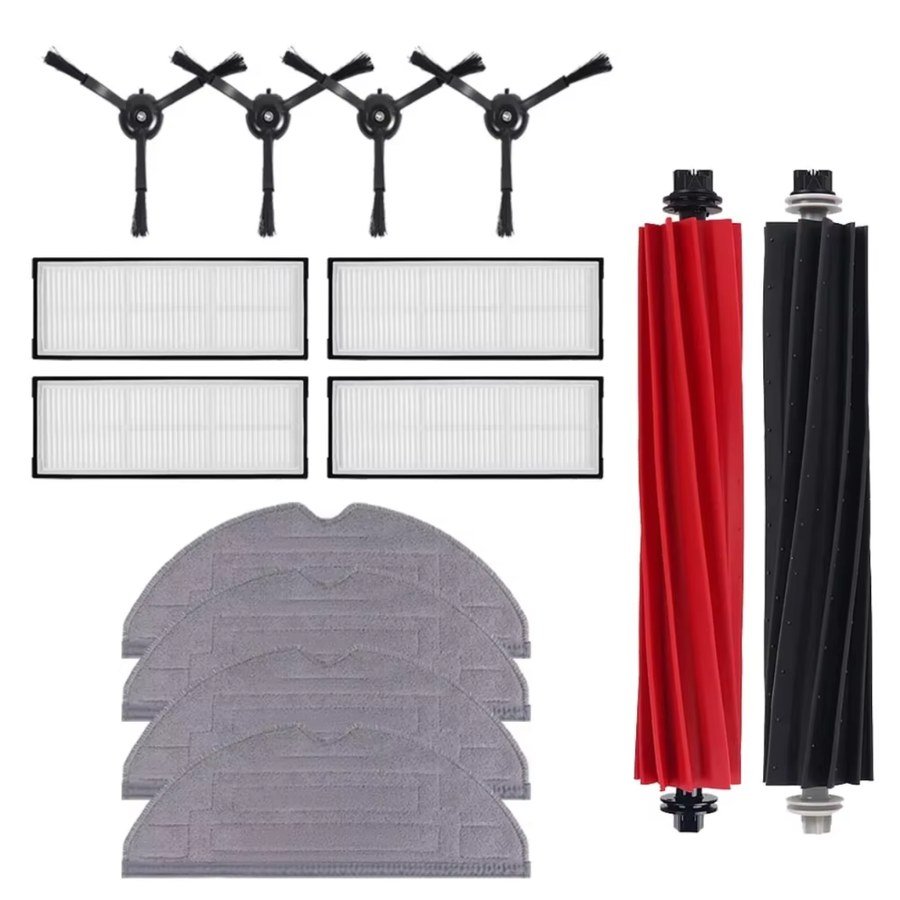 Fixes this · our kit1 year refill kit for Roborock S8, S8+ and S8 Pro Ultra2 rubber main rollers (1 set), 4 side brushes, 4 filters, 4 mop cloths. Free US shipping · Fit guarantee$16.99See the kit →
Just the filterFor Roborock on AmazonCheck price →Check the part fits your model. Affiliate links: we may earn a commission at no cost to you.
Remind me when parts are due (one free email)
Why it happens
- A blocked strainer
- A clogged filter
Other Roborock errors
7Wheels stuck›12Battery too low›14Battery error›15Wall sensor dirty›16Robot tilted›18Fan error›21Vertical bumper pressed›22Dock locator error›23Cannot return to the dock›27VibraRise mop lift stuck›28Robot on carpet›42Maintenance brush jammed›Keeps happening? Compare before you replace
Roborock Qrevo Curv 2 Flow$650 · Roller mop robot for mostly hard floor homes at a midrange priceCheck price on Amazon →
Roborock Qrevo 2 Pro$600 · Midrange mop washing robot with auto mop removal under $600Check price on Amazon →
Narwal Flow 2 vs Roborock Qrevo Curv 2 FlowPoint by point